
The Best BMO InvestorLine Portfolio Tracker: 50+ Features Beyond the Built-In Tools
Your money stays at BMO InvestorLine. Stock Unlock adds the analytics layer for smarter portfolio decisions.
No credit card required. Works with eligible BMO InvestorLine accounts, including many TFSA, RRSP, and non-registered accounts. Holdings sync only.
Where BMO InvestorLine's Portfolio Tools Fall Short
BMO InvestorLine is a strong bank-owned brokerage, now with $0 commissions on stock and ETF trades for Self-Directed clients. Many investors still want deeper portfolio analytics workflows than the built-in tools provide.
The portfolio Performance tab is desktop only for now
BMO InvestorLine recently added a Performance tab at the portfolio level, but BMO notes it is currently only available on desktop. Stock Unlock keeps your analytics workflow consistent across iOS, Android, and desktop browsers so you can review the same signals anywhere.
Research is spread across several providers
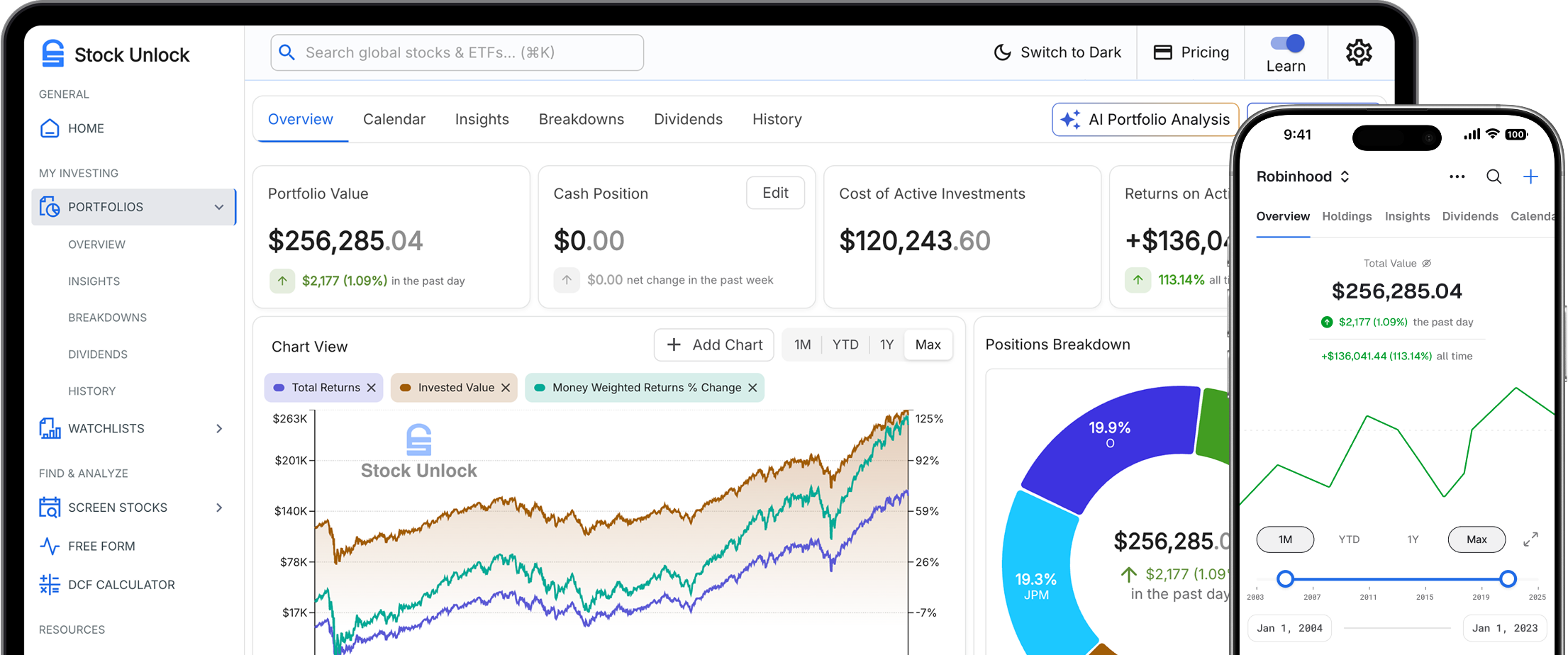
BMO InvestorLine gives you research and ratings from providers like Morningstar, CFRA, MarketGrader, BMO Capital Markets, and Trading Central, whose Fundamental Insight tool scores individual stocks. Stock Unlock applies Stock Scores across 7 categories to most of your synced holdings, so you can check your whole portfolio in one view.
Income investors want more than upcoming dividend dates
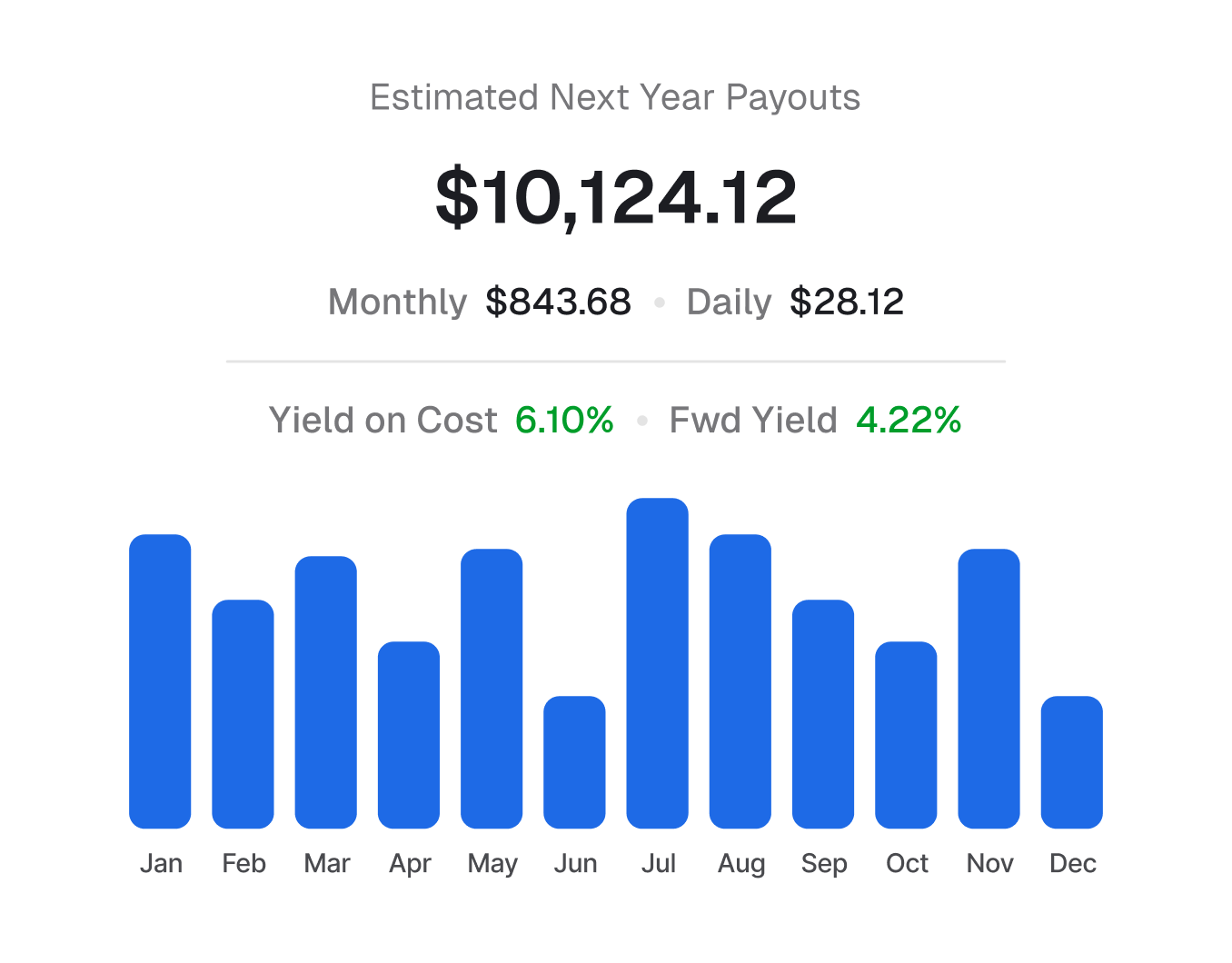
BMO InvestorLine's Corporate Calendar lists upcoming dividends, splits, and earnings. Many income investors also want a month-by-month estimate of what their holdings should pay over the next year. Stock Unlock builds that 12-month dividend forecast from your synced holdings.
Holdings at other brokerages are not synced
The BMO Invest app is built for BMO InvestorLine and BMO Nesbitt Burns accounts. BMO's My Financial Progress tool lets you add outside accounts manually for goal planning, but it doesn't sync their holdings. If you also invest with Questrade, Wealthsimple, or another brokerage, Stock Unlock brings those holdings together with BMO InvestorLine in one Combined Portfolio view.
Keep BMO InvestorLine. Upgrade Your Investment Workflow.
Trade and custody stay at BMO InvestorLine. Stock Unlock adds portfolio health, dividend forecasting, and investment discovery in one place.
BMO InvestorLine handles brokerage execution
- Orders, fills, custody, and cash movement remain at BMO InvestorLine.
- You keep your existing BMO InvestorLine account workflows.
- Stock Unlock is not a brokerage.
Stock Unlock handles portfolio intelligence
- Portfolio health diagnostics and Stock Scores across holdings.
- Dividend forecasting with forward income visibility.
- Investment discovery with powerful screening workflows.
Stock Unlock vs BMO InvestorLine
See What You Get
Real product screenshots, not mock-ups. What you see is what you get.
Dividend Income: Past, Present, Future
BMO InvestorLine's Corporate Calendar flags upcoming dividend events. We show you the complete picture: 12 months of projections, past payment history, growth trends, and sustainability analysis.
- 12-month forward projections by month
- 35+ years of dividend history per stock
- Dividend growth trends year-over-year
- All-time dividend payout history chart
- Payout ratio and sustainability scores
- And more in the live demo →
Backtest Your Current Holdings
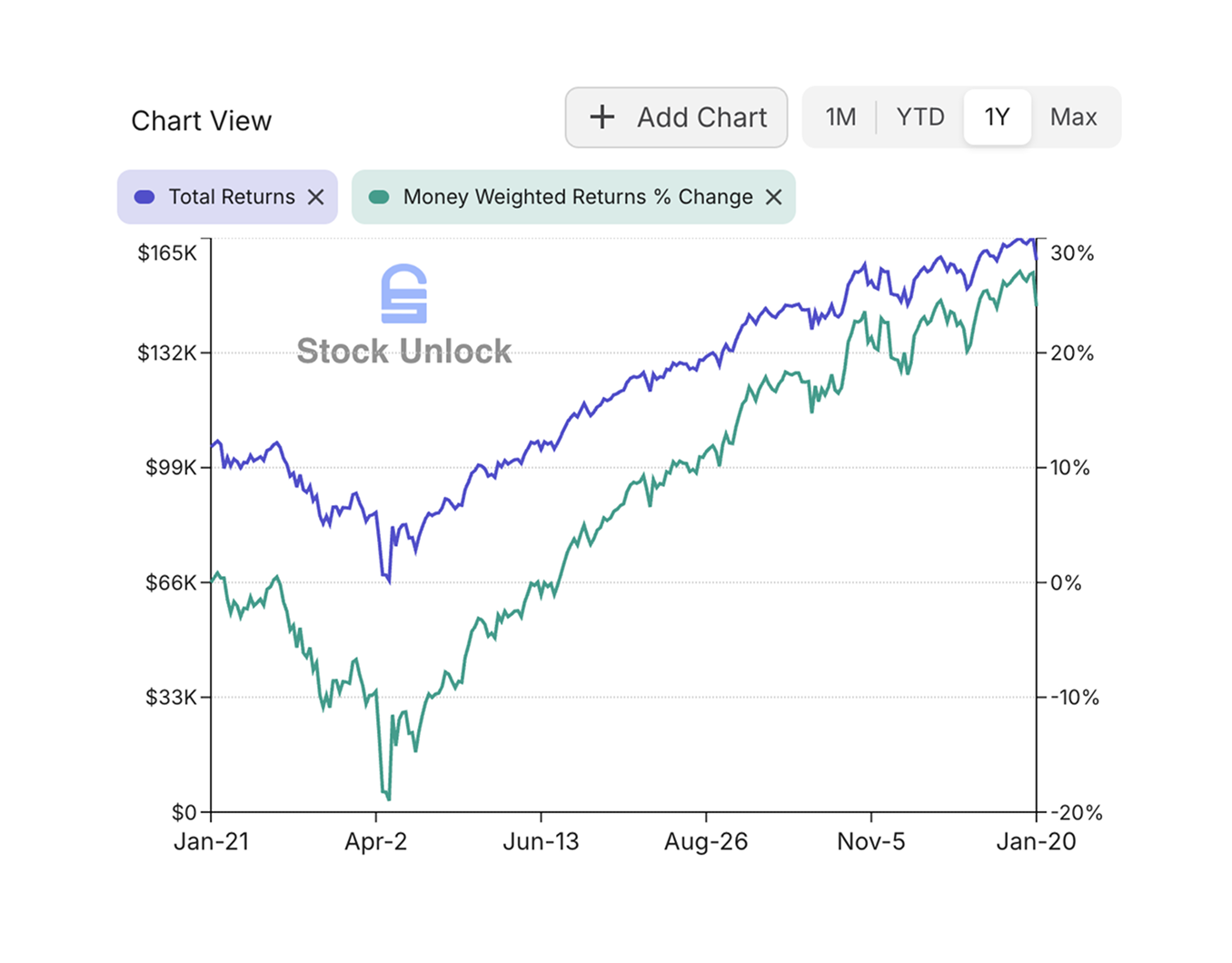
Once your BMO InvestorLine account is connected, see how your current holdings would have performed over time, with and without dividends. Transaction history is not available for BMO InvestorLine connections, so returns based on your actual trade timing need a separate manual portfolio where you enter trades or import them via CSV.
- Historical backtest of your current holdings
- Backtest with dividends added on each payment date
- Percent change over any date range you choose
- And more in the live demo →
Portfolio Health at a Glance
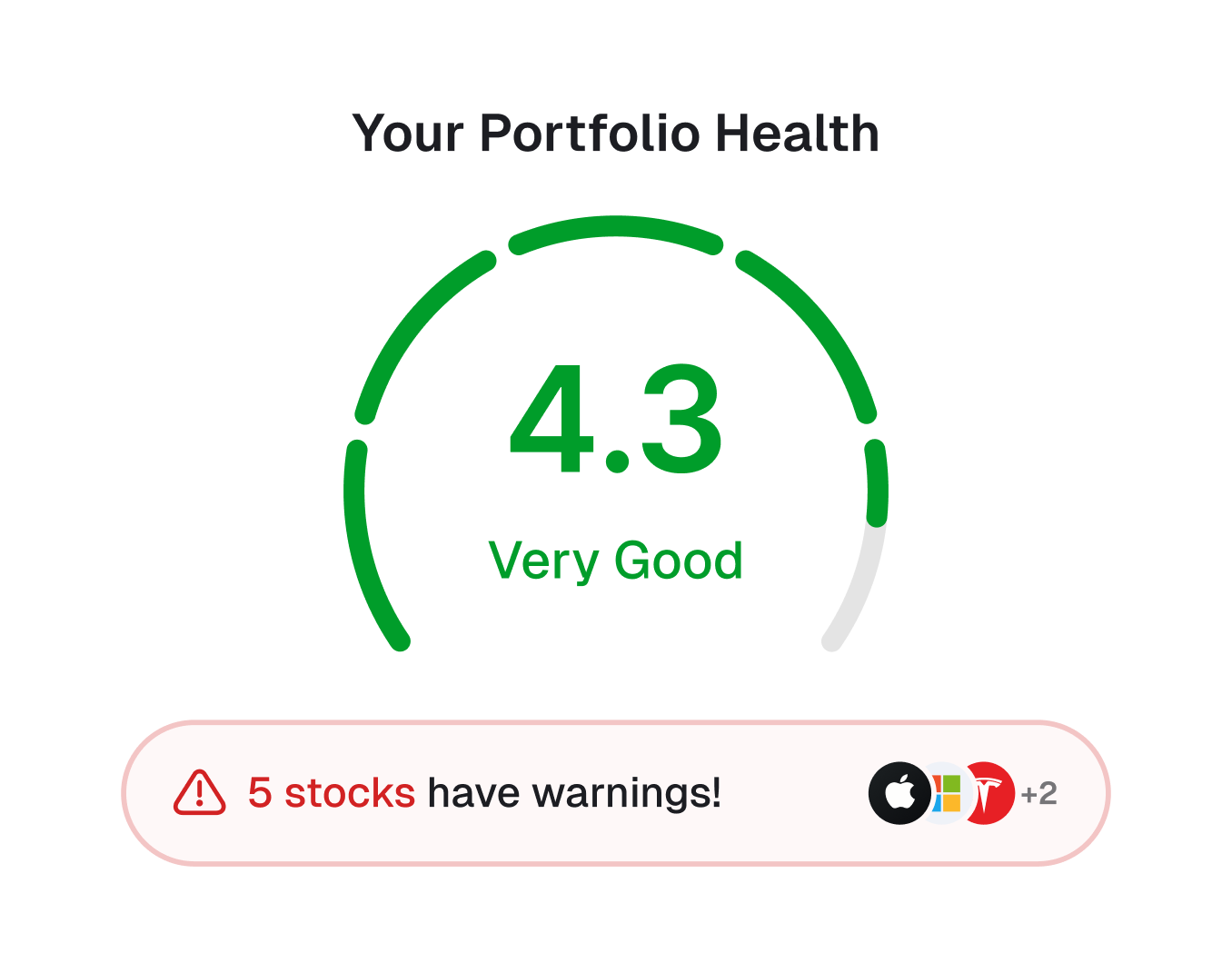
Most imported holdings in your BMO InvestorLine account get a Stock Score: visual indicators across 7 categories. Spot overvalued stocks, dividend risks, and quality issues before they become problems.
- Valuation, Profitability, Financial Health, Growth
- Dividends, Management, Analyst consensus
- Green is good, red means look closer
- And more in the live demo →
Every Portfolio Feature You Need
50+ portfolio features across 6 tabs. Here's what's included.
AI Portfolio Analysis
LLM-generated analysis of your portfolio with investment insights and recommendations.
Events Calendar
Earnings releases, dividend payments, ex-dividend dates, SEC filings, your transactions.
Combined Portfolio View
Merge multiple portfolios into one unified view. See total net worth across your linked accounts.
Copy & Test Scenarios
Duplicate portfolios and make edits to test different investment scenarios.
Sample Portfolios
Create demo portfolios with historical transactions to backtest strategies.
Portfolio Wrapped
Annual year-in-review with your best performers, trading stats, and highlights.
6 Diversification Views
Asset, industry, country, currency, exchange, and market cap breakdowns.
25+ Table Columns
Configurable position table with mini charts, scores, gains, and 12+ financial metrics.
Portfolio Metrics Widget
Weighted averages for P/E, dividend yield, ROE, margins, and more.
Insider Trading Activity
See when executives buy or sell shares in companies you own.
Position Notes
Add notes to any position. Remember why you bought and your thesis.
Multi-Currency Support
Track positions in different currencies with automatic conversion.
Track Your BMO InvestorLine Portfolio on Mobile
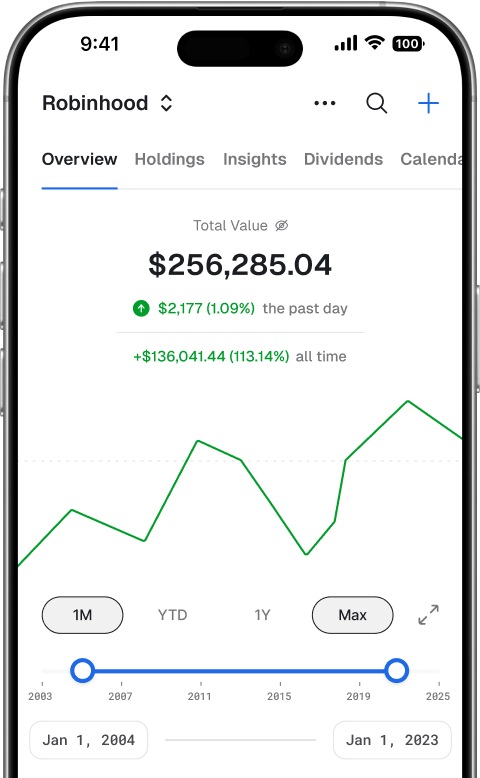
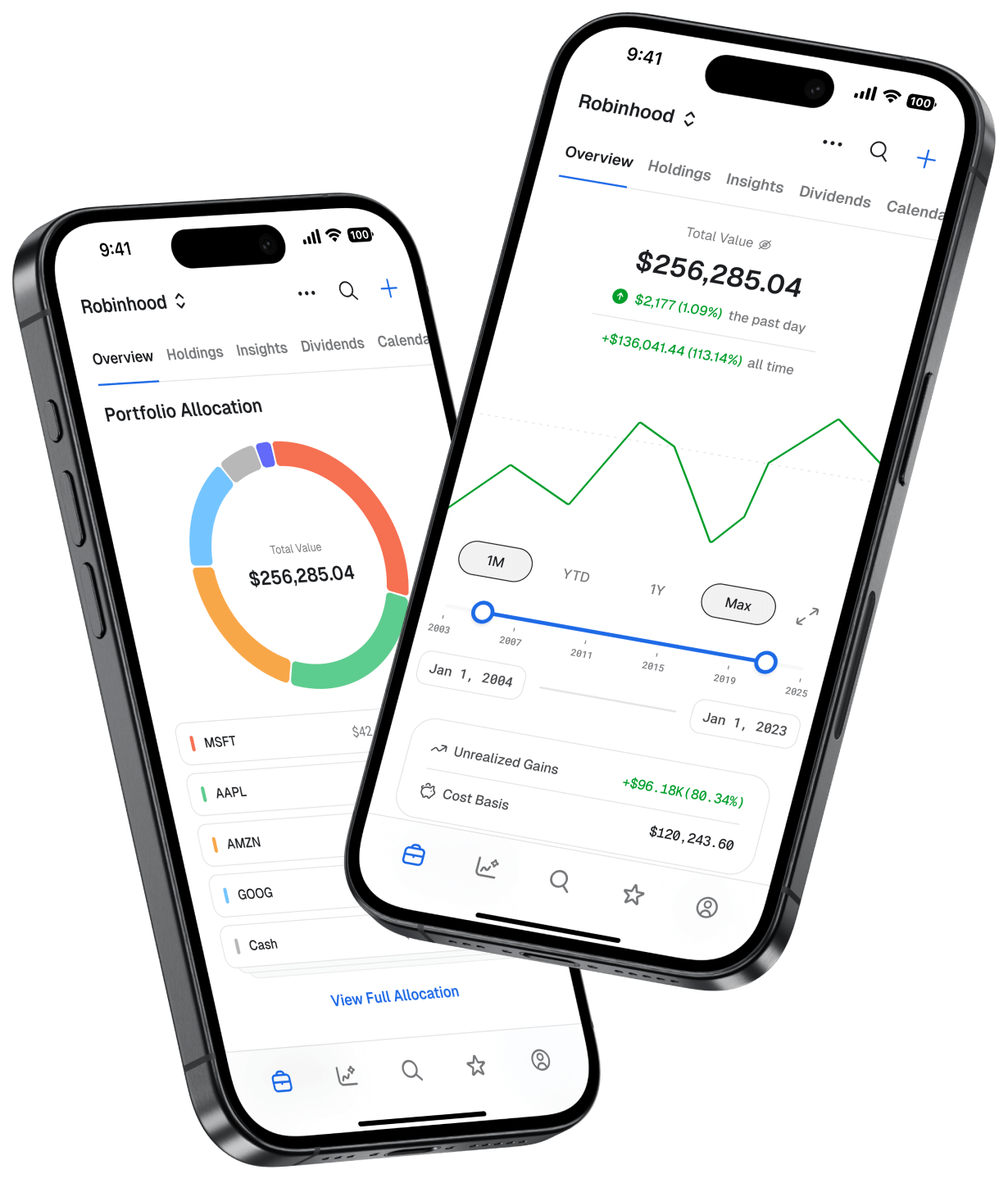
Check your BMO InvestorLine holdings, dividend income, and Stock Scores from your phone. Native apps for iOS and Android with full feature parity.


Mobile app - Portfolio
How It Works (And What It Costs)
Unlike most platforms that make you pay before connecting, we let you try everything first.
Create a free account
Sign up with your email. No credit card required. You immediately get access to our free tier: watchlists, limited stock analysis, and manual portfolio tracking.
Connect BMO InvestorLine for free
Click "Connect Brokerage" and select BMO InvestorLine. You'll authenticate securely via SnapTrade. Your credentials never touch our servers. This is free to do.
Get 15 days of automatic syncing
Your current holdings sync automatically for 15 days. Full access to all features. See exactly what you'd get as a paying subscriber. Transaction history is not available for BMO InvestorLine connections.
Your data stays with you forever
After 15 days, automatic syncing pauses, but your portfolio data stays. You can continue tracking manually for free, or upgrade to Pro ($9/month) to keep auto-sync running.
Why We Do It This Way
Most portfolio trackers want your credit card before you connect a brokerage. We're confident enough in our product that we flip that model. Connect first, see the value, then decide if it's worth $9/month to you. We have a 30-day money-back guarantee too.

Secure, Read-Only Access
Stock Unlock connects to BMO InvestorLine through SnapTrade, a financial data aggregator trusted by investment platforms worldwide.
Credentials never touch our servers
You authenticate through SnapTrade's secure flow. We only receive read-only connection access needed for portfolio data.
We can't trade or move money
Stock Unlock can only view your holdings. We cannot execute trades or transfer funds.
Disconnect anytime
Revoke access anytime from your Stock Unlock settings.
Holdings sync
SnapTrade syncs your current BMO InvestorLine holdings. Transaction history is not available for BMO InvestorLine connections.
Frequently Asked Questions
Does Stock Unlock work with my BMO InvestorLine accounts?
Is it safe to connect my BMO InvestorLine account?
What's free vs. paid?
Can I track BMO InvestorLine alongside other brokerages?
How often does my BMO InvestorLine portfolio sync?
Is Stock Unlock a brokerage?
Can I disconnect my BMO InvestorLine account later?
What if I don't want to connect my brokerage?
What does holdings-only mean for BMO InvestorLine?
Also Have Accounts at Other Brokerages?
Stock Unlock connects to 30+ brokerages. Track everything in one place.





Ready for a Better BMO InvestorLine Portfolio Tracker?
Join 100,000+ investors using Stock Unlock to track portfolios, forecast dividends, and make better decisions. Connect your BMO InvestorLine account free. Keep your data forever.
Connect BMO InvestorLine FreeNo credit card required. 30-day money-back guarantee on paid plans.