

The Best CommSec Portfolio Tracker: 50+ Features Beyond CommSec's Built-In Tools
Your money stays at CommSec. Stock Unlock adds the analytics layer for smarter portfolio decisions.
No credit card required. Works with standard trading accounts and SMSF accounts.
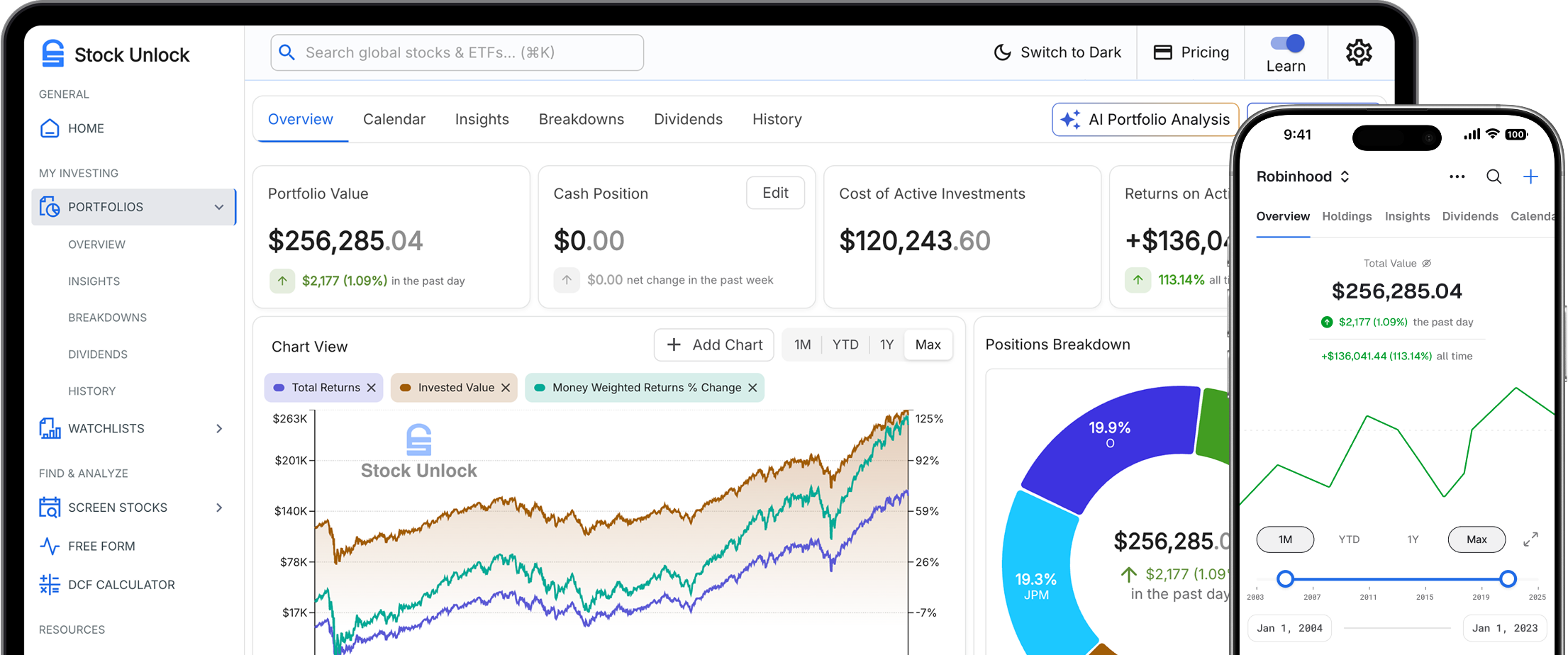
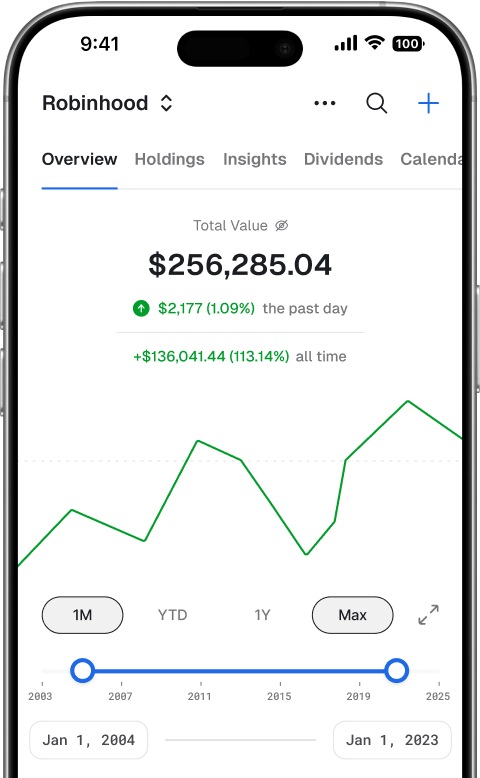
Common Portfolio Workflow Gaps for CommSec Investors
These are common analytics and reporting workflows investors often ask to improve.
Performance analysis depth can vary by workflow
CommSec provides core portfolio value views, but many investors want deeper return analysis with clearer cash-flow context.
Total-return context often requires additional analysis
Your P&L can look misleading when dividends aren't included in performance calculations. A stock that's down 5% but paid 8% in dividends? CommSec makes it look like a loss.
International shares on a completely separate platform
CommSec International (powered by Interactive Brokers) is a separate login and platform. Seeing ASX and US holdings together can require multiple views. Stock Unlock combines everything in one view.
Export/reporting workflows can require multiple steps
CommSec only lets you export 12 months of data at a time. Stock Unlock connects to CommSec and imports your current holdings automatically. You can also manually add historical transactions or use CSV import for complete records.
Keep CommSec. Upgrade Your Investment Workflow.
Trade and custody stay at CommSec. Stock Unlock adds portfolio health, dividend forecasting, and investment discovery in one place.
CommSec handles brokerage execution
- Orders, fills, custody, and cash movement remain at CommSec.
- You keep your existing CommSec account workflows.
- Stock Unlock is not a brokerage.
Stock Unlock handles portfolio intelligence
- Portfolio health diagnostics and Stock Scores across holdings.
- Dividend forecasting with forward income visibility.
- Investment discovery with powerful screening workflows.
Stock Unlock vs CommSec Portfolio Tools
See What You Get
Real product screenshots, not mock-ups. What you see is what you get.
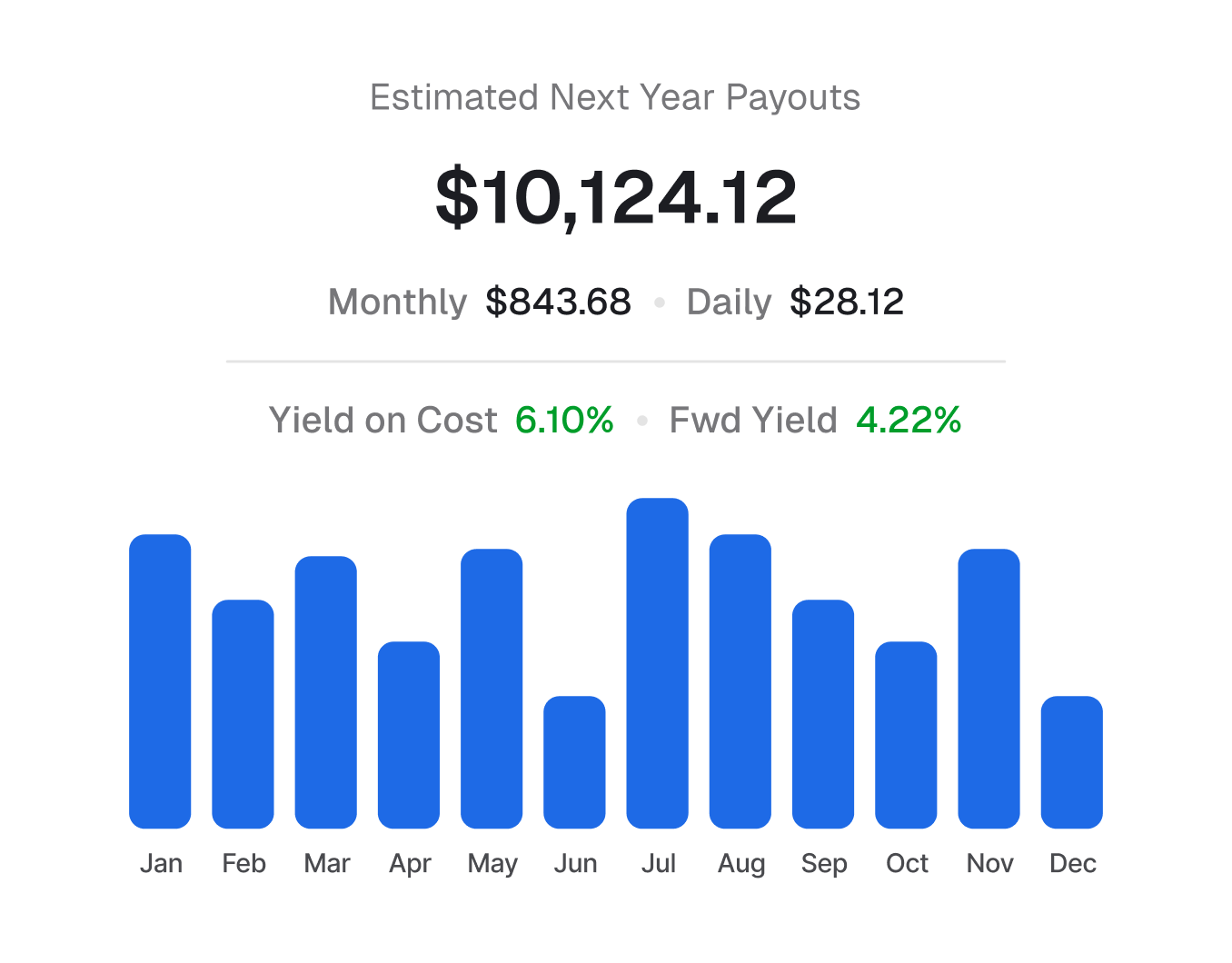
Dividend Income: Past, Present, Future
CommSec shows basic dividend data. We show you the complete picture: 12 months of projections, past payment history, growth trends, and sustainability analysis.
- 12-month forward projections by month
- 35+ years of dividend history per stock
- Dividend growth trends year-over-year
- All-time dividend payout history chart
- Payout ratio and sustainability scores
- And more in the live demo →
True Performance Tracking
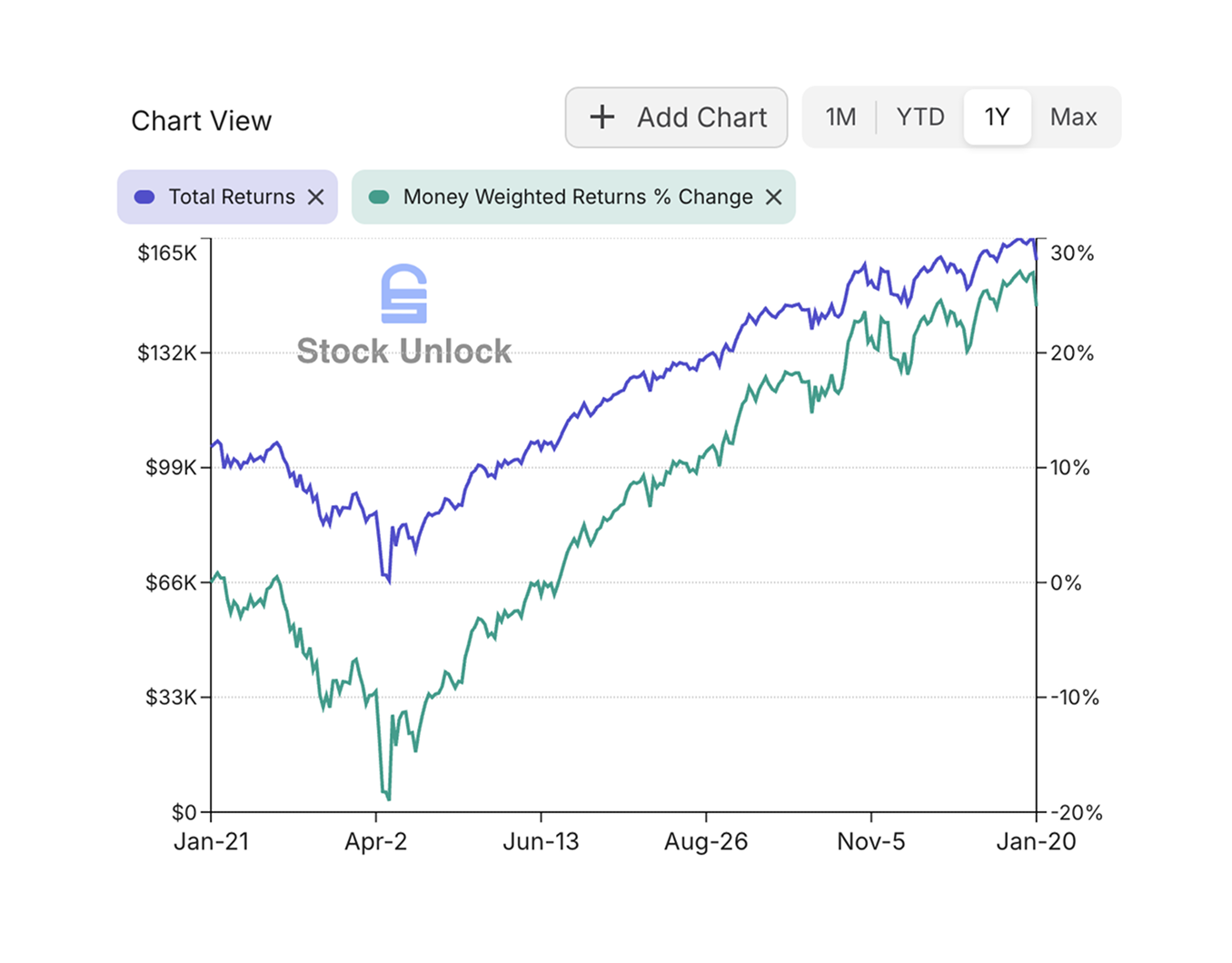
CommSec shows basic portfolio value but doesn't calculate true returns. We give proper performance tracking to everyone, for free during your 15-day trial. See how your portfolio actually performed, accounting for the timing of your deposits, withdrawals, and dividends.
- Time-weighted return (compare against benchmarks fairly)
- Money-weighted return (see your actual dollar gains)
- Returns with and without dividends reinvested
- And more in the live demo →
Portfolio Health at a Glance
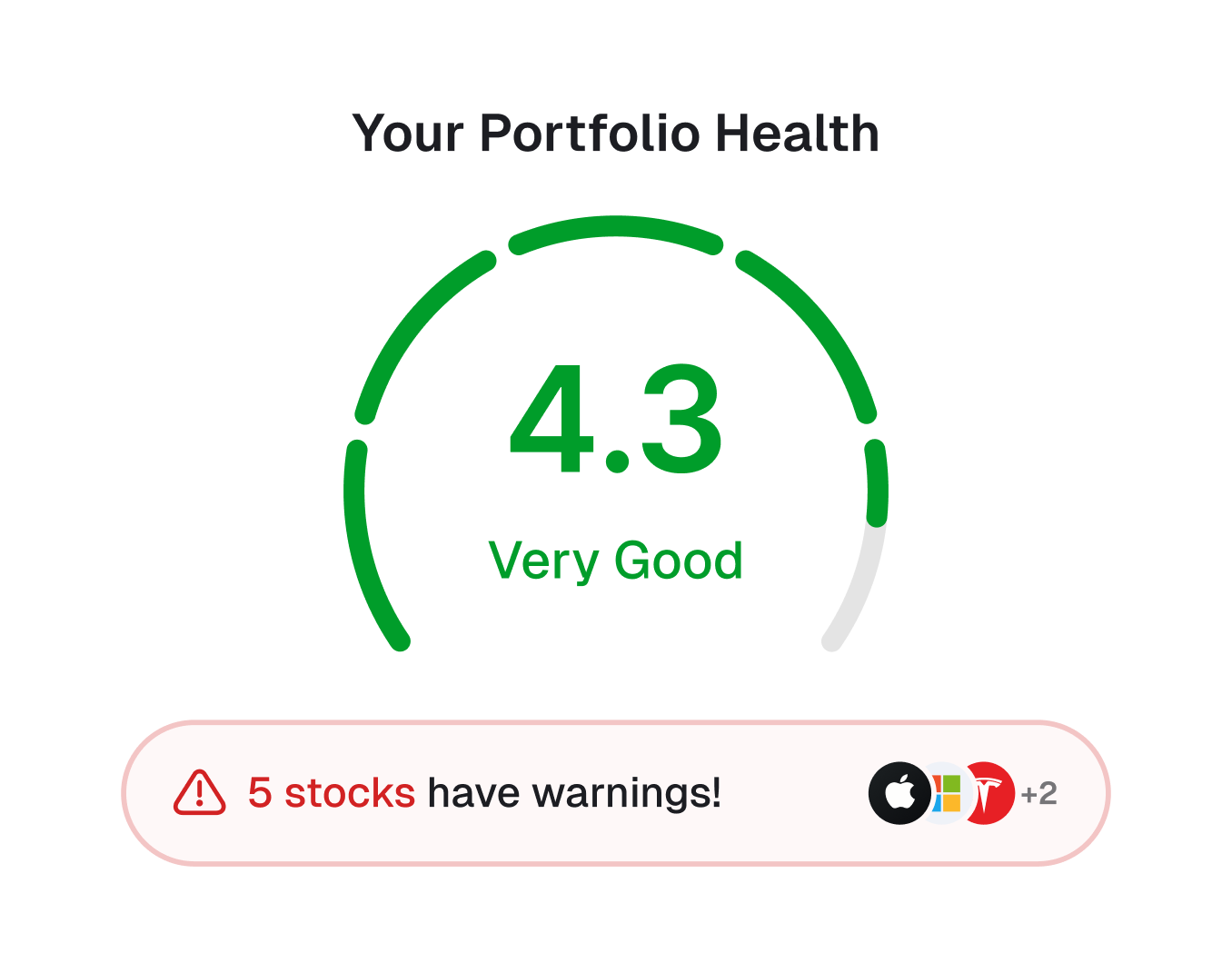
Most imported holdings in your CommSec account get a Stock Score: visual indicators across 7 categories. Spot overvalued stocks, dividend risks, and quality issues before they become problems.
- Valuation, Profitability, Financial Health, Growth
- Dividends, Management, Analyst consensus
- Green is good, red means look closer
- And more in the live demo →
Every Portfolio Feature You Need
50+ portfolio features across 6 tabs. Here's what's included.
AI Portfolio Analysis
LLM-generated analysis of your portfolio with investment insights and recommendations.
Events Calendar
Earnings releases, dividend payments, ex-dividend dates, SEC filings, your transactions.
Combined Portfolio View
Merge multiple portfolios into one unified view. See total net worth across your linked accounts.
Copy & Test Scenarios
Duplicate portfolios and make edits to test different investment scenarios.
Sample Portfolios
Create demo portfolios with historical transactions to backtest strategies.
Portfolio Wrapped
Annual year-in-review with your best performers, trading stats, and highlights.
6 Diversification Views
Asset, industry, country, currency, exchange, and market cap breakdowns.
25+ Table Columns
Configurable position table with mini charts, scores, gains, and 12+ financial metrics.
Portfolio Metrics Widget
Weighted averages for P/E, dividend yield, ROE, margins, and more.
Insider Trading Activity
See when executives buy or sell shares in companies you own.
Position Notes
Add notes to any position. Remember why you bought and your thesis.
Multi-Currency Support
Track positions in different currencies with automatic conversion.
Track Your CommSec Portfolio on Mobile
Stock Unlock works everywhere. Check your portfolio, dividend income, and Stock Scores from your phone. Native apps for iOS and Android with full feature parity - no separate app for international shares.


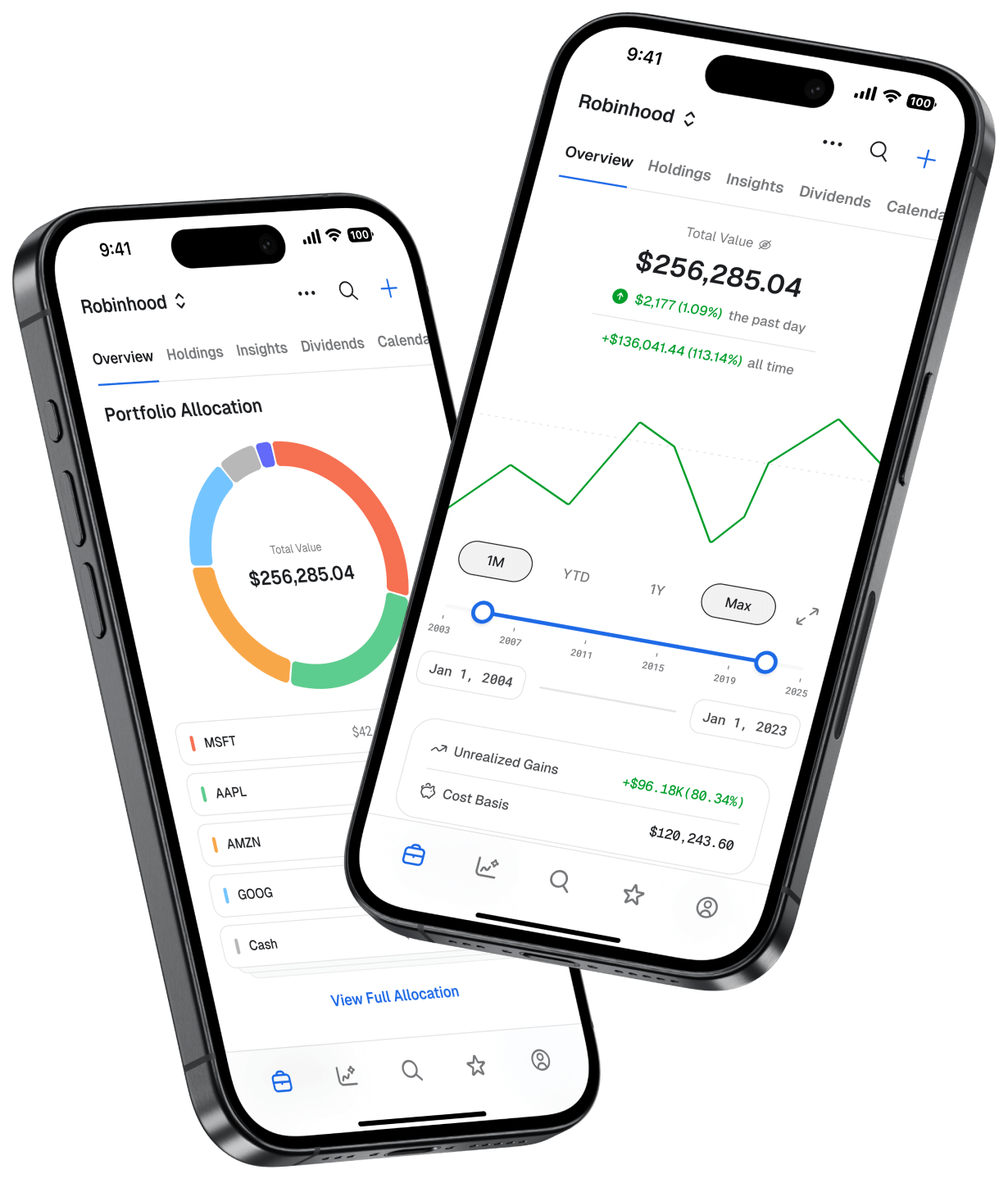
Mobile app - Portfolio
How It Works (And What It Costs)
Unlike most platforms that make you pay before connecting, we let you try everything first.
Create a free account
Sign up with your email. No credit card required. You immediately get access to our free tier: watchlists, limited stock analysis, and manual portfolio tracking.
Connect CommSec for free
Click "Connect Brokerage" and select CommSec. You'll authenticate securely via SnapTrade. Your credentials never touch our servers. This is free to do.
Get 15 days of automatic syncing
Your current holdings sync automatically for 15 days. Note: CommSec provides holdings only (no transaction history). Full access to all features. See exactly what you'd get as a paying subscriber.
Your data stays with you forever
After 15 days, automatic syncing pauses, but your portfolio data stays. You can continue tracking manually for free, or upgrade to Pro ($9/month) to keep auto-sync running.
Why We Do It This Way
Most portfolio trackers want your credit card before you connect a brokerage. We're confident enough in our product that we flip that model. Connect first, see the value, then decide if it's worth $9/month to you. We have a 30-day money-back guarantee too.
"CommSec is great for trading Australian shares, but their portfolio tools are so basic. Stock Unlock finally gives me proper performance tracking and dividend analysis that CommSec should have built years ago."- CommSec investor & Stock Unlock user
Secure, Read-Only Access
Stock Unlock connects to CommSec through SnapTrade, a financial data aggregator trusted by investment platforms worldwide.
Credentials never touch our servers
You authenticate through SnapTrade's secure flow. We only receive read-only connection access needed for portfolio data.
We can't trade or move money
Stock Unlock can only view your current holdings. We cannot execute trades or transfer funds.
Disconnect anytime
Revoke access from your Stock Unlock settings or directly from CommSec's third-party permissions.
Current holdings sync
Your CommSec holdings sync automatically via . You can manually add transactions or use CSV import for historical data.
Frequently Asked Questions
Does Stock Unlock work with my CommSec accounts?
Is it safe to connect my CommSec account?
What's free vs. paid?
Can I track CommSec alongside other brokerages?
How often does my CommSec portfolio sync?
Is Stock Unlock a brokerage?
Can I disconnect my CommSec account later?
What if I don't want to connect my brokerage?
Does Stock Unlock help with Australian tax reporting?
Also Have Accounts at Other Brokerages?
Stock Unlock connects to 30+ brokerages. Track everything in one place.









Ready to Get More From Your CommSec Portfolio?
Join thousands of investors using Stock Unlock to track performance, forecast dividends, and make better decisions. Connect CommSec free. Keep your data forever.
Connect CommSec FreeNo credit card required. 30-day money-back guarantee on paid plans.